Changelog / v0.9.0 ·
Share a moodboard by link
A moodboard can have a public link now. Anyone who has it sees the board — pan, zoom, play the videos — and nothing else from your library.
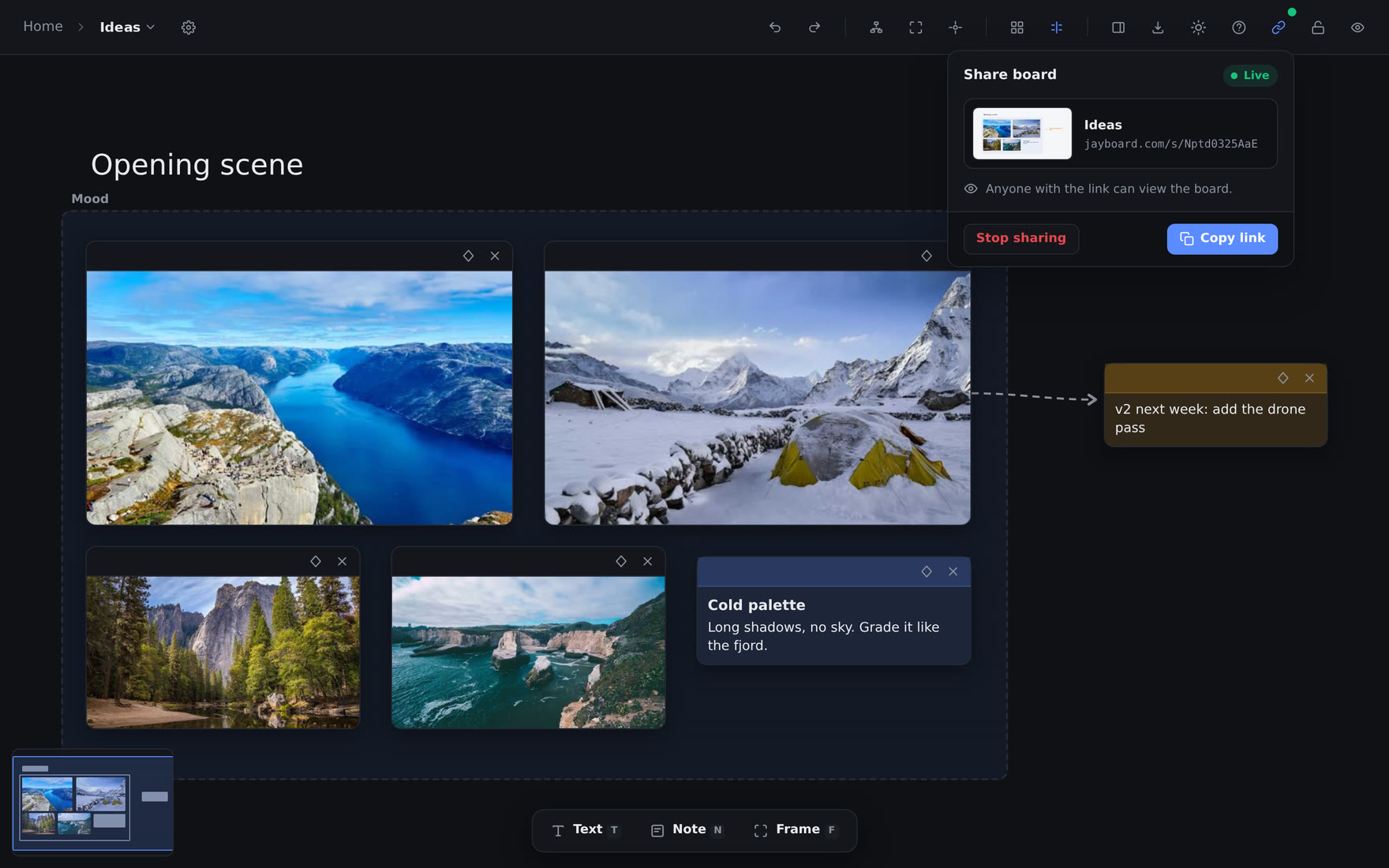
A moodboard is often made to be shown. Until now, showing one meant a screenshot or a screen share. Now it is a link.
One link per board#
The new link button sits in the board toolbar, left of the lock. Click Create link, then Copy link. Whoever opens it sees the board as preview shows it, and can pan, zoom, play the videos and open the links. They need no account, they cannot change anything, and they see nothing else from your library.
The link is live: the board is read each time the link opens, so your edits show there at the next load.
Paste it anywhere#
A link pasted into a chat shows a picture of the whole board. The board draws that picture itself, with the same code as the PNG export, and draws it again about 30 seconds after you stop editing.
On a phone, one finger pans, two fingers pinch to zoom, and a double-tap fits the board to the screen.
Always in your hands#
A green dot on the button, and a link mark beside the board in the sidebar, say which boards are shared. Stop sharing ends a link at once, and a link made after that is a new address. A link works while your subscription is active.
Full detail in Moodboards.
Elsewhere#
- The PNG and SVG export draws cards with their colours, borders and backgrounds again.
- The board's menus — share, export, auto-arrange and the board switcher — open over the items panel, not behind it.
- The items panel shows 50 items at a time and adds more as you scroll, as the library does, so it opens quickly on a large library.