Changelog / v0.10.0 ·
A chat in every moodboard
Say what the board is for, and Claude fills it from your library — in frames, with a note in each. One answer is one step to undo.
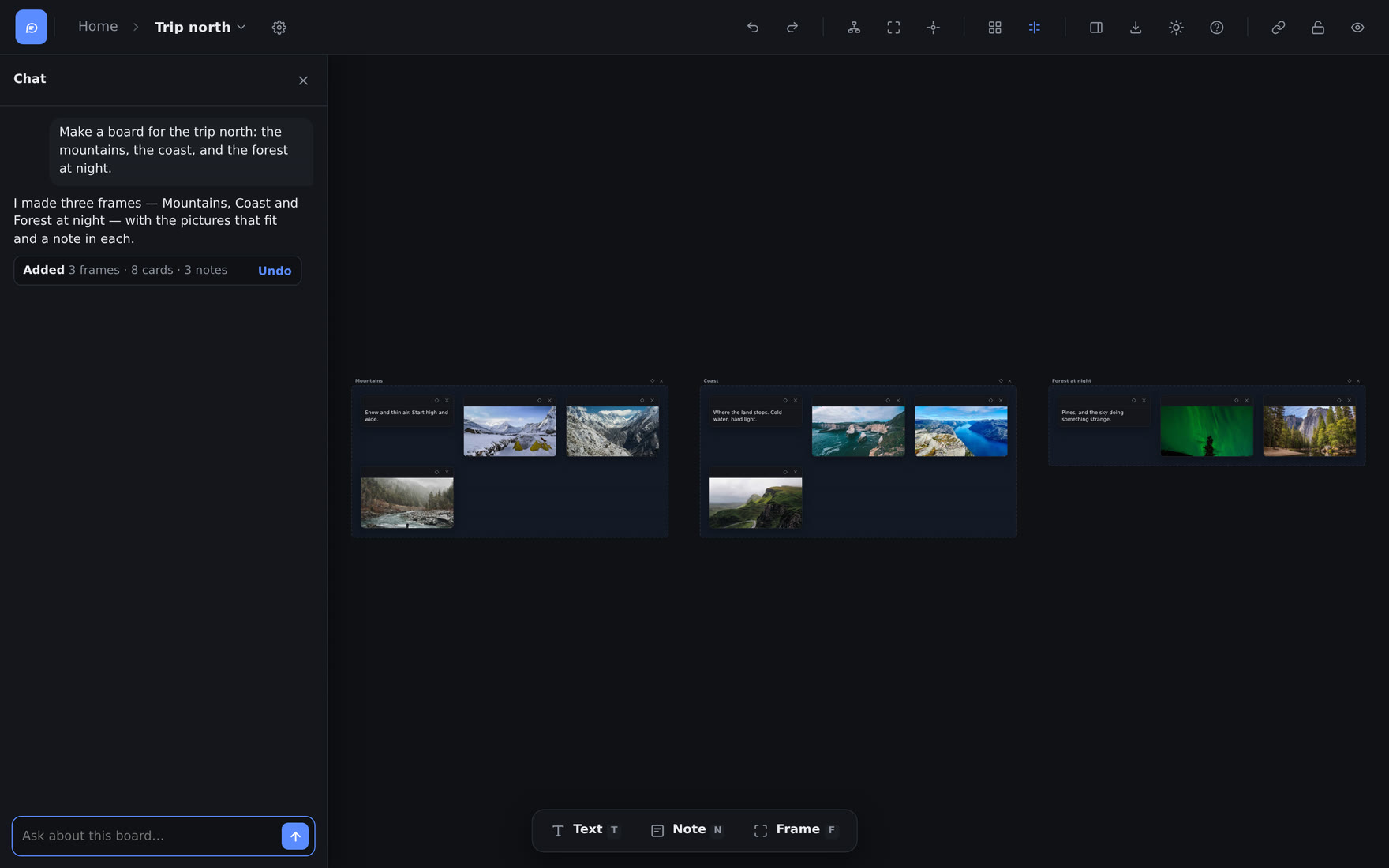
A board starts empty, and filling it means a search, a scroll and a drag for every card. Now you can say what the board is for.
Ask, and the board changes#
The chat button is first in the board toolbar. It opens a chat on the left, beside the board. Write "Make a board for the opening scene: cold fog, wet concrete", and Claude searches your library, puts the best items on the board in frames, and writes a note in each frame. Then go on: "put the cards into frames", "write a note for each frame", "find more like the Fog frame", "take out the videos", or ask a question about the board.
All the changes of one answer are one step. Undo under the answer, or CtrlZ, takes them back.
Words, not pictures#
Claude knows an item by its tags and its description — the ones AI annotation writes, or yours. It never sees the pictures. An item with neither cannot be found, and the chat tells you how many there are.
Claude changes this board only. Tags, descriptions and projects stay as they are, and a card it removes stays in your library.
Kept with the board#
The board keeps the last 20 messages, and Claude reads all of them, so the next message follows on from the last. The chat uses your monthly AI credits, like annotation and Organize: about 1 to 8 a message.
Full detail in Moodboards.
Elsewhere#
- On a phone, the sidebar now lists your moodboards, and the board toolbar wraps onto a second row instead of running off the screen.
- Zoom to fit fits the board into the part of the screen that the chat and the items panel leave free.