Blog /
Share a moodboard by link
A moodboard is often made to be shown. Now it gets a link — anyone who has it sees the board, and nothing else from your library.
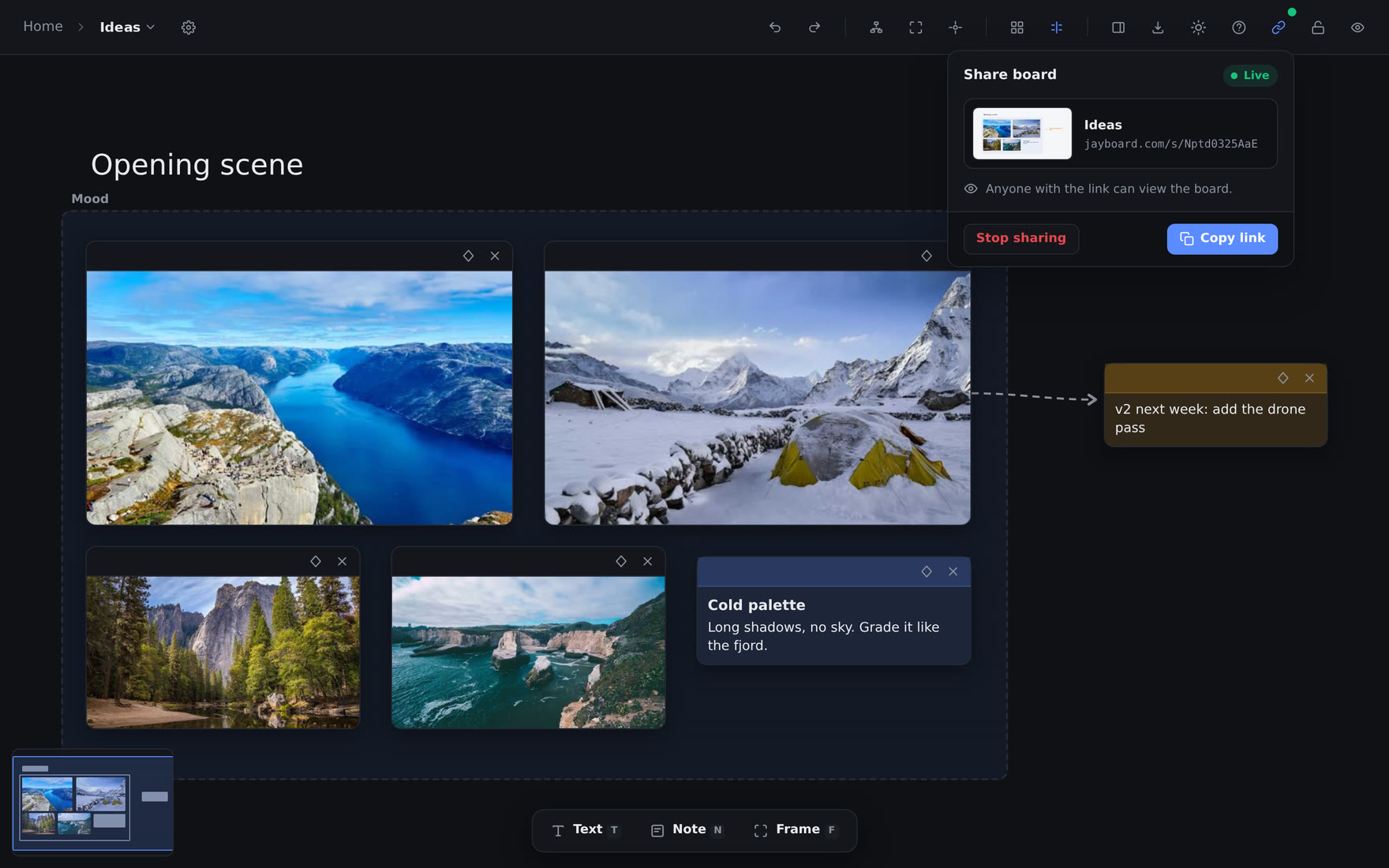
A moodboard is rarely only for you. It is the opening scene you want a director to see, the palette a client has to agree to, the references a colleague asked for. Until now, showing one meant a screenshot, which loses the videos and the links, or a screen share, which needs both of you there at once.
Now a board gets a link.
How it works#
Open a board and click the link button in the toolbar, left of the lock. Click Create link, then Copy link, and send it to anyone.
Whoever opens it sees the board as preview shows it. They can pan and zoom, play the videos and open the links on the cards. On a phone, one finger pans, two fingers pinch, and a double-tap fits the whole board to the screen. They need no account, and they cannot change anything.
The link is live. Each time it is opened it reads the board as it is, so an edit you make shows at their next load. There is no copy to keep up to date.
It shows the board, and nothing else#
A share link opens one board, so we built it to show that board and nothing more:
- Only what is on the board. The page gets the cards, the frames, the lines and the words around them. It never gets the rest of your library — not the other items in a project, not their tags, not your account.
- A separate address. Links live on jayboard.com, not on the app's own address. Your sign-in never reaches that page, so nothing on it can act on your library, even by mistake.
- Hard to guess, easy to end. Each link has a random address of 11 characters, the same length as a YouTube video's. Stop sharing ends it at once, and a link you make after that is a new address. The old one never works again.
- Not for search engines. The page asks them not to index it. A link is private to the people you send it to.
A green dot on the button, and a link mark beside the board in the sidebar, show which boards are shared, so a link is never one you forgot about.
The picture in the chat#
Paste a link into a chat and it shows a picture of the whole board. Your own browser draws that picture, with the same code that exports a board as PNG, so it looks like the board and not like a random card from it. It draws a new one about 30 seconds after you stop editing.
Try it#
Open one of your moodboards and look for the link button. The details are in the documentation.