Download a frame from a video
A video in the viewer gets a Download frame button, which saves the frame on screen to your computer as a PNG.
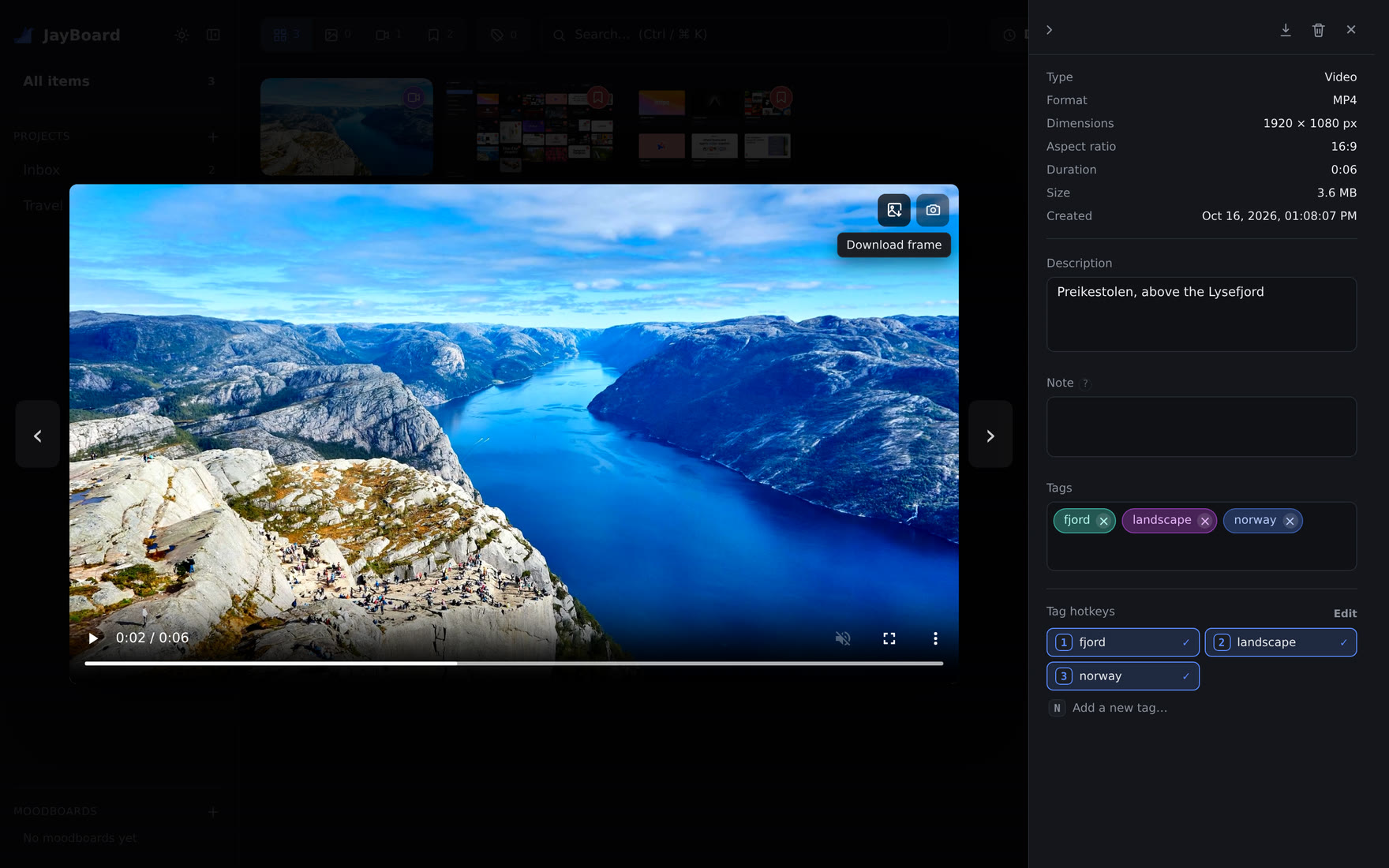
Sometimes one frame of a video is what you need, as a file of its own: for a slide, a mockup or a message. The viewer could already save a frame into your library. Now it can also give you the file.
Download frame#
Open a video in the viewer and stop it where you want it. The button with a picture and an arrow, in the video's top-right corner, downloads that frame as a PNG. Nothing is added to your library.
The frame is cut from the saved video file at its full resolution, not from the player on screen, so a 1080p video gives you a 1920 × 1080 picture whatever the size of your window. The file is named after the video and the time of the frame, for example Lysefjord 1m05.25s.png.
Save frame to library#
The camera button beside it was called Capture frame. It is now Save frame to library, which is what it does: it saves the frame as a new image in the same project as the video. In JayBoard, a capture is a save from a web page with the extension, and one word for two things was one too many.
See The viewer for everything else the viewer does.